You Don’t Get Social Media ROI Yet? C’mon, Man!

Social media ROI is not that hard to understand. There's a simple formula, a simple process, and some simple tools to do it all.

I was feeling good about social media ROI, and how/whether people understand it. I figured, at least my people — marketers — get it. They understand how to measure social media, or at least the principles behind it.

Apparently not.

eMarketer dashed those hopes to the ground with their December 20, 2011 article When Will Social Media Measurement Mature?.

Marketers know that counting fans, “likes” and followers is not the best way to measure success in social media marketing. Yet these metrics are often the top benchmarks for performance. It’s not surprising, then, that marketers consider calculating return on investment to be the biggest challenge of using social media, and that a majority of them believe they cannot measure social media campaigns effectively.

How to Calculate Social Media ROI

Calculating the ROI of anything is easy. Subtract how much you spent from how much you made, and that’s your answer. If you spent $10,000 on a social media marketing campaign, and you made $50,000, your social media ROI is $40,000.

Simple, right?

$50,000 – $10,000 = $40,000.

So how do you know whether sales are coming from your social media efforts?

I’m not going to delve into the step-by-step process, but I’ll give you the tools and concepts you’re going to need to get started.

  1. Set up Google Analytics, and install the code on every page on your website. If you have a blog, it only needs to be part of the code. If it’s on a website with pre-built pages, it needs to be on every page.
  2. Set up a Bitly account. Bitly is a URL shortener that also lets you do some basic analytics on the number of people that have clicked your link.
  3. Create a Google Analytics tracking campaign for any and all major links you’re sending out. This is how you’re going to measure a particular blog post, tweet, Facebook status update, etc. If it’s just a basic link to the website, a campaign code is optional. But if it’s a blog post about a particular marketing campaign, set up the Google Analytics campaign.
  4. Put a hyperlinked call to action in your blog posts that take people directly to a sales page or order page. Make sure that the hyperlink is given a unique campaign code.

Here’s what will happen:

  • You’ll send out a link to a blog post via Twitter, Facebook, etc. Let’s say that 10,000 people see that link on your various accounts.
  • 1,000 people visit your page and read that blog post, all within a 6-hour span.
  • Of that 1,000 people, 100 people actually make a purchase with a total of $10,000 in sales.
  • Those 100 people also fill out their contact information, which gets placed into your CRM.

By looking at these numbers, you can determine a number of things.

  • 1,000 visitors out of 10,000 social media followers, fans, and friends means you have a 10% click-through rate.
  • 100 sales out of 1,000 visitors is a 10% close rate; out of a 10,000-person network, that’s a 1% close rate.
  • By looking at the entrance and exit paths of that particular 6-hour period, or particular day, you can see that a majority of people were moved enough by the blog post to go directly to the order page. Compare that to another blog post that only lead to 30 sales out of 1,000 visitors, and you know it wasn’t as effective in moving people to act.
  • You can then subtract the cost of that particular campaign from the amount of money you made to calculate the total ROI for the day/week/month.

Calculating social media ROI is not that difficult. It’s just a matter of having the right tools and knowing basic analytics and campaign creation. There are literally hundreds of articles and several books on each step I first described. It’s just a matter of reading, and then trying out what you’ve learned. With some trial and error, and constant measuring, you’ll soon learn what works and what you can stop doing.

Or you could just hire a social media professional to do it all for you.

Author :  •  Content Location : Indianapolis, IN  •  Copyright Holder : Professional Blog Service  •  Copyright Year : 2011  •  Headline : You Don't Get Social Media ROI Yet? C'mon, Man!  •  Keywords : social media ROI, social networking, social media marketing, marketing, ROI  • 

50 Things That You’re Not Measuring for ROI, But Should

I’m so sick of the “what’s the ROI of social media” question. It’s asked by people who a) think it makes them sound clever, and they’re hoping to show that social media “doesn’t work,” or b) think they’re supposed to ask it, because they read an article that said they should ask it.

The problem is, we can’t answer the ROI question during out first meeting. We can answer it after your social media plan has been up and running for six months. We set goals and then measure to see whether you made them. We count how much money the social media campaign made — because we can do that — and we subtract how much money it cost.

But we can’t predict it accurately beforehand, and anyone who tells you they can is lying.

What about you and your business? What’s the ROI on the stuff and the staff at the office? Have you measured them? All of the things you buy and the people you hire have a direct impact on your bottom line. Some contribute to revenue, some take up space, and some are a drag on your bottom line.Number 50 painted on a wall And yet, the people who are so quick to pull the “what’s the ROI of social media?” trigger haven’t asked that question about anything else in their own business.

So I’d like to see companies start measuring ROI on these things.

  1. Your college interns.
  2. Your brochures. You pay professionals to design these things. What have they gotten you?
  3. Your weekly staff meetings.
  4. Every other meeting you have to attend. They’re a big time suck and productivity killer. Yet we go to them without question. So what’s their ROI?
  5. The person who answers your phones. Don’t you think the voice of your company contributes to customer satisfaction?
  6. Your accounts receivable department. What does it do to your cash flow if they’re on time versus late with sending out invoices?
  7. The paintings and furniture in the front lobby.
  8. Your telephone hold music. People actually study this kind of thing, so it should be possible to figure out.
  9. That lunch meeting you had.
  10. Your mobile phone.
  11. The company mission statement that took eight people three months to write over six hour-long meetings.
  12. Your membership in three different trade associations. You should get valuable sales and clients from these. Are you?
  13. Your Chamber of Commerce membership.
  14. The company car. Lease costs, gas costs, maintenance. Are you making your money back on that?
  15. Your HR department.
  16. Your legal department. They’re great for keeping you out of trouble and for helping with intellectual property. How much did they make you this year?
  17. Your sponsorship of a Little League baseball team.
  18. Your fax machine. Seriously, do people still use fax machines? They have online services you can buy to send and receive faxes, instead of paying $40 a month for a separate phone line.
  19. Your voice mail system.
  20. The PR agency you hired for your latest campaign. And none of this “this is what your media coverage is worth” stuff — how much money did you actually make?
  21. Your office coffee machine.
  22. Your annual industry conference in Las Vegas.
  23. The business class flight you took to get to the conference. Execs need more leg room than regular staffers, apparently. So did you make more money by taking the more expensive flight?
  24. Your trade show display. These things are expensive. But did you make the money back?
  25. Your marketing department. These are the ROI experts. How much money did they make you?
  26. The cleaning service.
  27. The office Christmas party.
  28. Your office location. Retail stores can demonstrate how one location outperforms another. But what do you get for where you’re located? Do you really need an office downtown in the big city, when a location in the suburbs will cost less?
  29. The water cooler.
  30. The TV commercials you ran on cable TV for six months in 25 major markets.
  31. The IT department.
  32. Your CIO. Should your CIO really have the same decision-making abilities over the CMO? Should they be able to tell the CMO, “no, you cannot use social media tools to help market the company”? Hopefully they generated revenue to make up for all the lost sales they just caused.
  33. Staying at the conference hotel instead of a cheaper hotel a mile away.
  34. Your sponsorship of the local chamber event.
  35. The 90-minute morning networking meeting you attended. You go to this once a month. Have you gotten sales directly from going?
  36. The giant flat screen monitor in the conference room.
  37. The big table in the conference room.
  38. The conference room.
  39. Your administrative assistant.
  40. The company website. If you don’t sell anything on it, is it still making you money? Why did you spend $10,000 to get it designed?
  41. Subscriptions to all the business magazines that decorate your lobby. Did you even read them?
  42. Your newspaper ads.
  43. Your business cards.
  44. Casual Fridays. And while we’re at it . . .
  45. Appropriate business attire. There must be a reason we have to dress up for work. So how much money did you make from it?
  46. Your customer service department. You know how much they cost you, but do you measure how much they made you?
  47. The accounting department.
  48. The 12 books on new management ideas you bought and never had time to read.
  49. Your industry trade magazines.
  50. You.

I am not opposed to the social media ROI question. I just think it’s an easy fallback question that people use as an excuse, whether it’s out of fear or disdain. And I encourage businesspeople to ask that question. After all, you’re going to spend money on it, so you’d damn well better know how much money you’re making from it.

But you should do the same thing for some of these other things you have in your business as well.

Photo credit: duncan (Flickr)

Author :  •  Content Location : Indianapolis, IN  •  Copyright Holder : Professional Blog Service  •  Copyright Year : 2011  •  Headline : 50 Things That You're Not Measuring for ROI, But Should  •  Keywords : social media, ROI, social media measurement, marketing, business  • 

Who Should Rule, Content or Marketing?

The argument about whether content or marketing is king is missing the big picture.

Over on his blog, Nashville writer Jeff Goins questions whether content is really king.

Well, actually, no he doesn’t. he said content is not king anymore. It’s a “fat, dethroned monarch, dis-empowered of his royal ability to influence.”

Janus, the two-faced Roman god, should represent content marketing.

Janus, the two-faced Roman god, should represent content marketing.

Marketing — or as Jeff calls it, “relationships” — are the true king. Without relationships, without marketing, it doesn’t matter how awesome your writing is.

I used to be terrible at this. I thought all I had to do was be a good writer. But I was wrong.

I was scared. And lazy. I didn’t want to have to actually meet people. I just wanted to write.

But that’s not how the world works. So why would I think for one minute the Web would work that way? Yes, even in real life, it’s not just what you know that matters, but also who you know.

And even in business, the best way to promote an idea, product, or service is relationship. We all know this, because in this day of media saturation, we don’t buy what the ads tell us to buy. We buy what our friends recommend.

If I have to give an edge to either of them, I still side with content. Because hidden content can accidentally be discovered one day. I might write a post that gets picked up by search engines, and I could start being found for that topic.

But I could optimize and promote the bejeezus out of something really awful, and a lot of people could see it, but what do you think would happen if everyone showed up and saw — and said — how awful it was?

Still, it’s not a question of whether content or marketing is king.

Content Marketing Rules

This does not have to be an either/or proposition. You shouldn’t have to choose one over the other. And no, this is not one of those “why can’t everyone just get along” cop-outs that I detest. This is like arguing about whether peanut butter or jelly is more important on a PBJ.

Content and marketing have a symbiotic relationship. One cannot exist without the other. You can have great content, but if your marketing sucks, no one will see your stuff. And you can have great marketing, but if your writing sucks, no one will care.

There has to be a happy medium here. Or at the very least, we have to recognize that Content/Marketing is a two-faced king, like Janus, the Roman god of beginnings. You can’t have good marketing and lousy content, and you can’t have lousy marketing and good content. Without one, the other will die.

Content without good marketing is a private diary. Marketing without good content is spam.

I think once writers realize they need to market, we’ll see a bigger explosion in books and ebooks. And once marketers realize that content is not some throwaway afterthought, they’ll start seeing an explosion in sales and profits.

And if you want to learn how to do both, you can buy Branding Yourself or No Bullshit Social Media to see how.

(See what I did there?)

Photo credit: mscolly (Flickr)

Author :  •  Content Location : Indianapolis, IN  •  Headline : Who Should Rule, Content or Marketing?  •  Keywords : content marketing, writing, marketing, relationships, Jeff Goins, social networking  • 

Reaching Inbox Zero in Five Simple Steps

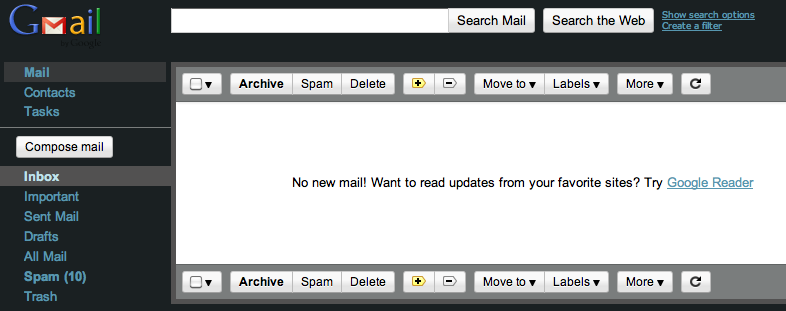
Empty Gmail Inbox

Inbox Zero. It’s the holy grail of anyone who uses email as a primary form of communication. My inbox is empty right now. Completely empty. It took months to get there, mostly because I kept letting it get filled up again with complete crap. It will probably get full again, but my goal is to keep it below 10 as much as possible.

If you’re like me, you treat your inbox like a to do list. If it’s in there, it’s an actionable item, and you’ll leave it there until you can cross it off your list. (Because otherwise if you delete or archive the email, you’ll forget to do it.) Then, important emails get buried and you miss out on them.

Here are the things I’ve done over the past few weeks to get to a beautifully empty inbox.

Empty Gmail Inbox, achieving Inbox Zero

This is the most beautiful site these eyes have ever seen.

(Note: I use Gmail and all the Google properties, including Google Calendar and Google Tasks. This has also helped keep me organized because everything is interrelated. Some of this information is based on what I can do with Gmail.)

1) Delete the crap and dreck.

Before you do anything else, go through all your email newsletters, semi-interesting advertisements, and other pieces of information you thought you’d find a few extra minutes to read. If you have’t read it by now, you’re not going to find the time. If it’s an ad, a solicitation, or a special offer you signed up for, get rid of it. This is like junk mail. You wouldn’t keep piles of junk mail and newspapers in your house “just in case,” so do the same for your inbox.

2) Create a label or folder and archive emails.

If you have important emails that you need to save about a certain project, client, or topic, create a folder, and put those emails in that folder. If you use Gmail, create a filter to apply a specific label for that project, client, or topic, and then archive it. When you need to recall it, click on that label, and all those emails will appear. If you store everything in folders, then search through that particular folder.

3) Delete or archive anything older than 2 months.

This is especially important if you’re the kind of person who saves all your emails in your inbox. I’ve known people who have more than five thousand emails in their inbox. Not their entire email folder. Their inbox. There is no reason you have to keep these handy. They’re not doing you any good, because if you’re treating your inbox like a to do list, those action items have lo-o-o-o-ng since expired. Just dump any emails you don’t need, and archive the ones you might.

4) Add actionable items to a to do list.

Copy the important information into the notes. I use Google Tasks, and there is a place for notes with each task. I can also type in specific keywords, the date, and the people involved, so I can search for that particular email later. And by archiving — Gmail has a great searchable archive that makes finding old emails a breeze — I get those things out of my inbox. Similarly, if it’s information I need to keep, I’ll copy and paste it into my Evernote so I can find it later.

If you’ve got stuff you need to take care of in the next day or two, leave those items out for now.

5) Do important actionable items right away.

By this point, you should only have a few emails left — things you have to get to right away, deadlines to meet, answers to send, appointments to schedule. I try to work in 15 minute blocks and plow through as many emails as I can in this fashion. If someone needs a reply, I send it. If I have to read something, I do it fast. Plow through all the necessary items as fast as you can, even if it means scheduling an appointment with yourself to keep that time blocked.

Important: Don’t just file actionable emails into a To Do file. That may be a real Inbox Zero trick, but to my mind, it’s cheating. You don’t just file stuff away to have an empty inbox. You actually do the things you’re getting the emails for. If you can’t do them, leave them in the inbox until you can. But if you feel the burning desire to hit Inbox Zero, then pull the emails into your To Do list, or copy and paste the information into a document on your desktop. But filing for later is not the best option.

To maintain Inbox Zero, I jealously guard my inbox from all intruders, and I treat each one like an incoming task. Here are the ways I get rid of those emails to keep them from piling up again:

  1. Skim and delete newsletters. Unsubscribe from any that don’t catch my interest. If I’ve received it five times and never opened it, I unsubscribe from it.
  2. Respond to easy questions immediately, and archive the emails. If a response is coming back, there’s no reason to keep the email in my inbox. It will pop back in soon enough when the other person replies.
  3. Schedule responses for appropriate times. If you have Outlook, you’ve always been able to do this. I just started using Gmail on Chrome recently, and I got the Boomerang extension, which allows me to schedule replies and responses. If I work ahead on an answer to a client or colleague but they don’t need the answer right away, I schedule my reply for a future delivery, and then archive the email.
  4. Filter particular emails like newsletters I want to keep, and have them delivered straight to a particular folder, bypassing the inbox. Then I can read them when I have the time, but they won’t sit in my inbox.
  5. Ruthlessly delete unnecessary emails. Be a jerk about it. If something doesn’t grab my interest right that second, dump it. I don’t keep it, hoping it will be relevant in a few days. If I really want to keep something, I’ll put it in a special folder called “to do eventually.” I created that folder six months ago, in the hopes that I would find time to go back to those “maybe I oughta” emails, and haven’t pulled anything out of it since. I haven’t missed anything since then either.
  6. Use Boomerang to have emails pop back into my inbox. If I don’t want to add something to my to do list, Boomerang can help. I can archive or hide a message and have it come back to my inbox at a certain time. When it shows up, I’ll deal with it at that moment. This is different from filing stuff into a To Do folder, mostly because I say it is. No other reason.

So that’s what I’ve done to achieve Inbox Zero, and what I’ve been doing to keep it clutter free. What do you do? Do you have any suggestions or recommendations? What about you real Inbox Zero practitioners? What are some of the best ways you’ve found to work clutter free?

Author :  •  Content Location : Indianapolis, IN  •  Content Rating : G  •  Copyright Holder : Professional Blog Service  •  Copyright Year : 2011  •  Headline : Five Simple Steps to Get to Inbox Zero  •  Keywords : Inbox Zero, email, decrapify  • 

Awesomize.me is Still The Awesome

I just got a very nice comment from Tatiana Sorabi from Awesomize.me very politely pointing out that I can be a big whiner at times. After my last post, Should I Cover Up the Name of No Bullshit Social Media?, Tatiana responded a couple days later with this very nice comment.no bullshit social media link cover-purchase on amazon

Erik, We are working on the issue. You jumped on this too quick. Your inquiry was forwarded to me last week. This was the first incident for us. We are still in startup phase and lacking resources.

To avoid ending up another myspace, we have put in place a strong policing system to keep the spammers and offenders away. We fully realize you are neither spammer nor offender. We are trying to come up with a solution how to separate your case with others. Once, the solution is in place, I send you a note.

Meanwhile, I encourage you to create a page for your company and book on our site. You can use the “Add Product” Template for your book.

So, I rescind my complaint, and will add my product for my book. AND I’ll rename my book to No Bullsh*t so they have plenty of time to work on their solution.

Author :  •  Content Location : Indianapolis, IN  •  Content Rating : PG  •  Contributor : Tatiana Sorabi  •  Copyright Holder : Professional Blog Service  •  Copyright Year : 2011  •  Creator : Erik Deckers  •  Headline : Awesomize.me is Still The Awesome  •  Keywords : No Bullshit Social Media, censorship, books, publishing, social networks, awesomize.me  •  Mentions : Awesomize.me  •  Version : 1.0  • 

Should I Cover Up the Name of No Bullshit Social Media?

No-Bullshit-Social-Media-cover-tn-200x300.jpg

Update: Awesomize.me contacted me with a great response addressing this issue.

I wrote a book with a naughty word in the title.

My latest book, No Bullshit Social Media, which I wrote with my good friend Jason Falls, has generated surprisingly little controversy. It’s been placed cover out on all the shelves in all the Barnes & Noble bookstores. It was even on their New Arrivals shelf, top center, where everyone could see it.

Of course, there has been some controversy. I’ve given presentations where I had to refer to the book as “No BS.” One group asked that I not mention the book at all, and since they dealt with a lot of very conservative Christians, who would be attending the conference, I was fine with that. (I covered up most of the offending word, and kept the cover one the last slide of the slide deck though.)

I’m not ashamed of the title. I’m not sorry I did it. I understand that some people don’t like saying it, and I’m fine with that. If they want to call it No BS, they’re more than welcome to. I won’t tell someone to do something they’re not comfortable with.

But what’s bothering me today is a particular social network, awesomize.me is covering up the title of the book completely. In my bio, I included the title of my book, spelled out in all its 4 letter (8 letter?) glory.

However, the “no naughty words” algorithm covered up the word, and recast it as No @#$% Social Media.

This actually bothers me. I can’t tell you why. It’s not censorship, because awesomize.me is a private company, and they can do what they want. If they want to make a rule that says “no swear words,” then they’re free to do it.

But at the same time, I’m annoyed by the fact that on a social network made up of grownups, I can’t use a grownup word. Not in a gratuitous, shocking, let’s-make-everyone-giggle kind of a way. But in a this-is-a-real-book-title way.

The easy thing to do would be to just change the title of the book myself to “No BS Social Media,” or “No Bull***” or even “No Bullsh*t.” But I don’t want to. That’s not the name of the book.

Am I overreacting? Should I just toe the line and change the title of the book in my bio? Or should I stand firm on principle, and refuse to change it, even if it means that people are going to wonder what @#$% stands for?

What would you do?

About : No Bullshit Social Media and censorship  •  Accountable Person : Erik Deckers  •  Author :  •  Content Location : Indianapolis, IN  •  Content Rating : PG-13  •  Copyright Holder : Professional Blog Service  •  Copyright Year : 2011  •  Creator : Erik Deckers  •  Editor : Erik Deckers  •  Genre : Non-fiction  •  Headline : Should I Cover Up the Name of No Bullshit Social Media?  •  Keywords : No Bullshit Social Media, censorship, books, publishing, social networks  •  Mentions : Jason Falls  •  Publisher : Professional Blog Service  •  Version : 1.0  • 

U.S. Court Declares Bloggers Second Class Citizens, Not Part of Media

Update: Judge Marco A. Hernandez has since clarified his ruling on this matter, and stated that his ruling was only meant to apply to Crystal Cox, and not all bloggers. Read my latest blog post for the rest of the story.

A U.S. district court just ruled that bloggers — at least bloggers in Oregon — are not part of the media, and therefore, not protected by Oregon’s media shield laws.

As a citizen journalist, this scares the bejeezus out of me. If you’re a blogger of any kind, it should worry you too.

I’ve been clamoring for years that bloggers are citizen journalists. That is, we should be entitled to the same First Amendment protections, the same access, and the same considerations that newspaper, TV, and radio reporters get. At the same time, it means that bloggers need to act like journalists: with great power comes great responsibility, etcetera, etcetera.Handcuffs

But a U.S. District Court judge in Portland, Oregon just set us back to pre-1990 days when he ruled against Crystal Cox, a blogger, after she was sued by Obsidian Finance Group for defamation over blog posts that criticized the firm and co-founder Kevin Padrick. The judge also awarded Padrick $2.5 million.

In his ruling, the judge wrote:

. . . although defendant is a self-proclaimed “investigative blogger” and defines herself as “media,” the record fails to show that she is affiliated with any newspaper, magazine, periodical, book, pamphlet, news service, wire service, news or feature syndicate, broadcast station or network, or cable television system. Thus, she is not entitled to the protections of the law.

Seriously? Pamphlets? In other words, if she had slapped together an 8-page booklet at Fedex/Kinko’s, she would have been protected?

Whether this is a problem with the judge not understanding the Internet, or — more likely — Oregon having a media shield law that doesn’t reflect 21st century technology, this may have a chilling effect on bloggers, even in states with media shield laws.

As it stands now, Oregon’s media shield law says:

No person connected with, employed by or engaged in any medium of communication to the public shall be required by … a judicial officer … to disclose, by subpoena or otherwise … [t]he source of any published or unpublished information obtained by the person in the course of gathering, receiving or processing information for any medium of communication to the public[.]

Seems comprehensive enough: any medium of communication to the public strikes me as anything from newspapers to TV to radio to the Internet (including blogs). But when someone learned about the Internet from the Ted Stevens’ School of Technology, they may not realize that the Internet is far more evolved than pamphlets.

Compare Oregon’s law to Washington’s media shield law:

Any newspaper, magazine or other periodical, book publisher, news agency, wire service, radio or television station or network, cable or satellite station or network, or audio or audiovisual production company, or any entity that is in the regular business of news gathering and disseminating news or information to the public by any means, including, but not limited to, print, broadcast, photographic, mechanical, internet, or electronic distribution;

(Read more about Washington’s media shield law here.)

Washington at least spells out what they consider to be the media. But any state that has not included “the Internet” in their shield laws may be able to exclude bloggers from the people who should be protected.

In other words, if you are a pamphleteer, you’re protected. If you type something on a typewriter, reproduce it on a mimeograph machine, and staple everything together by hand, you’re protected by the First Amendment. But if you publish the biggest online-only newspaper, and have for the last fifteen years, tough. You’re not protected by media shield laws in Oregon, or several other states.

This will have a chilling effect on your rights as a journalist, as the government can impose sanctions on bloggers and Internet-based writers, simply by declaring they are not part of the protected media.

Photo credit: Tourettte (Flickr)

About : Blogging, citizen journalism, and media shield laws  •  Accountable Person : Erik Deckers  •  Author :  •  Content Location : Indianapolis, IN  •  Content Rating : PG  •  Copyright Holder : Professional Blog Service  •  Copyright Year : 2011  •  Creator : Erik Deckers  •  Genre : Non-fiction  •  Headline : U.S. Court Declares Bloggers Second Class Citizens, Not Part of Media  •  Keywords : blogging, citizen journalism, blogger, Oregon, media shield law, Washington  •  Source Organization : Professional Blog Service  •  Version : 1.0  • 

Four Online Predictions for 2012

Okay, I’m going to jump on the trends bandwagon and offer yet another online predictions blog post where I polish my crystal ball and predict the future of social media. I think I have a decent track record going for me. In 2010, I predicted that Android sales were going to outpace iPhones, and I was only six months late on that (it finally happened earlier this year). Of course, I also said SMS would become obsolete, and that ain’t happening any time soon, so I’m batting .500.

Emboldened by my previous success — and with a promise to Allison Carter (@allisonlcarter) that this list will not mention mobile or geo-location networks — here are my four predictions for 2012.Crystal ball

1. An even bigger focus on quality of written content.

Thanks to Google Panda, the traditional SEO techniques of on-site optimization and backlinking is not as effective or important as it once was. Now, Panda measures things like bounce rate and time on site. In other words, if your site sucks, your rankings will drop. If your site is good, your rankings will rise.

Want to improve your rankings? Improve the quality of your content, especially your writing. The better your writing is, the longer people will stick around.

We’ll see a bigger push for web designers and bloggers to have better writing, not just a bunch of schlocky writing. So for anyone who has been in the quantity-over-quality camp of blog writing, you’re going to have a tough time of it in 2012.

2. Disruption will be the watchword, and the way to make money.

We’re already seeing how social media, broadband, and mobile phones are disrupting some middle men businesses. People are canceling their cable and satellite TV, and instead watching videos on Netflix and Hulu. We’re getting local news from local bloggers, or national news from each other, instead of TV news and newspapers. I even quit listening to local commercial radio, choosing instead to listen to an awesome public radio station out of Louisville, KY. Traditional media has been disrupted, but that’s not all.

We’ll continue to see more middle men being disrupted by fast phones and social media — look for advertising and PR agencies, publishers, banks, and credit card companies to take a big hit as people figure out how to circumvent these gatekeepers. Look for other people who figure it out to make a buttload of money being the disruptions, or taking advantage of the new disruptions.

(Case in point, Dwolla, which only charges $.25 per transaction for anything over $10 (under $10 is free), and is currently on course to move about $350 million per year.)

3. Citizen journalism will continue to grow and become more important.

Newspapers have taken a big hit in the last 10 years, thanks to online media — a disruption that’s been years in the making — but people still want local news. The newspapers that will survive and thrive will be the dailies in smaller cities, and the weeklies in small towns. In the big cities, we’ll see more citizen journalism as people report on their local stories. More Twitpics, more cell phone videos, more stories that are pieced together through people acting like their own journalists.

I would love to see some news-minded entrepreneur figure out a way to gather all of this content and monetize it. While that may not happen in 2012, look for online-only newspapers like The American Reporter to pick up the slack of the big city papers, and local news outlets like Patch to become more widespread and easier to use.

We’re going to see more news, commentary, sports, etc. covered up by real people, not professional journalists. I also think we’ll see smaller print newspapers get smarter about their online efforts, and even TV stations to continue to embrace the web. Could we also see someone start an Internet-only TV news style of website?

4. Teenagers will begin to leave Facebook in droves.

Their moms and dads are on Facebook. Their grandparents are on Facebook. The whole point behind Facebook was it was a place to go where you could be cool. And as everyone knows, it’s impossible to be cool when your parents are around. They’re moving to other networks where their parents are not. Even Ben Bajarin (@benbajarin) of Time Magazine is questioning whether it’s the beginning of the end for Facebook. (Hint: No, not yet. But don’t be surprised if it happens one day far off into the future.)

Where they’re all going is still unknown. MySpace is still popular among teenagers. YouTube is actually the second biggest network among teenagers (Facebook is still first). And the gaming console networks are seeing a big uptick. But when all the stats are showing that 1 in 5 teenagers are leaving Facebook, it’s time for marketers to stop with this “social media is for young people” nonsense and recognize that the parents and grandparents are embracing it more easily now.

Photo credit: JasonLangheine (Flickr)

About : Online predictions  •  Accountable Person : Erik Deckers  •  Author :  •  Content Location : Indianapolis, IN  •  Content Rating : G  •  Copyright Holder : Professional Blog Service  •  Copyright Year : 2011  •  Creator : Erik Deckers  •  Editor : Erik Deckers  •  Genre : Non-fiction  •  Headline : Four Online Predictions for 2012  •  Keywords : predictions, social media, citizen journalism, Facebook, disruption, marketing  •  Mentions : Facebook, blogging, social media, citizen journalism  •  Publisher : Professional Blog Service  •  Source Organization : Professional Blog Service  •  Version : 1.0  •